
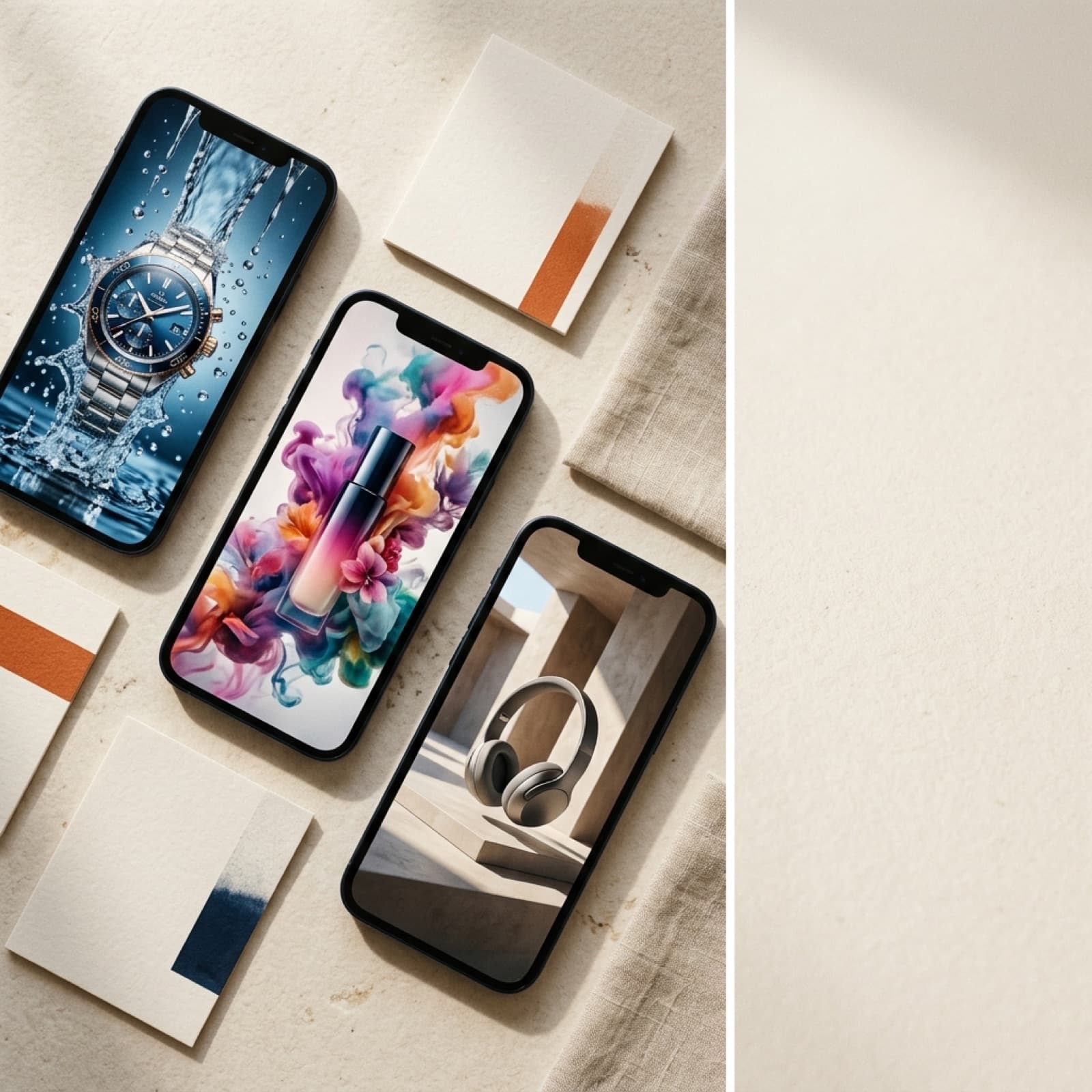
Veo 3 vs Runway Gen 4 product video compared on audio, product consistency, camera control, cost, and what AI Vidia routes to for ad-ready video in 2026.
AI Vidia runs both Veo 3 and Runway Gen 4 on live ecommerce briefs, and the veo 3 vs runway gen 4 product video question comes down to one trade: Veo 3 wins on synchronized native audio and generally available batch generation through the Vertex AI API, while Runway Gen 4 wins on product consistency across shots and finer camera control. For a sound-on hook where a voice or scene audio has to land on the first pass, Veo 3 is the AI Vidia default. For a multi-shot product sequence where the exact SKU has to look identical in every cut, Runway Gen 4 and its reference system are the stronger pick. The AI Vidia team has shipped 1,834 AI video ads and 70,342 AI images across these and other models for 48 brands in 14 countries.
As of July 2026, Veo 3 leads on production-ready batch generation and audio that often passes as finished sound on a short clip, while Runway Gen 4 leads on holding a specific product, label, and color consistent across a series of shots through its Gen-4 References feature. Product video raises the consistency bar higher than lifestyle video, because a viewer forgives a stylized background but not a warped logo or a wrong cap color. The correct answer is a routing decision made per brief, not a single model chosen for the whole account.
What the wrong model costs a product video brief
8sVEO 3 NATIVE CLIP
10s+RUNWAY GEN 4 EXTENDED CLIP
1,834AI VIDEO ADS SHIPPED
2.4xROAS ON WINNING COHORTS
The wrong model for a product brief does not just lower quality. It adds revision cycles, burns generation budget, and breaks batch consistency at the exact point where speed decides whether an account stays in the Meta learning phase. Meta for Business reports that campaigns with five or more creative variations see 30 to 50 percent lower CPA, so a model that stalls your weekly variant count has a direct cost in paid efficiency. A studio routing 30 to 50 clips per week per account cannot absorb a slow render and a 30 percent reject rate on the model that does not fit the brief.
For product video specifically, the expensive failure is drift. If the cap color shifts, the label warps, or the bottle changes proportion between cut two and cut five, the sequence is unusable no matter how good the motion looks, and the whole batch goes back to generation. Paying Veo 3 rates for a multi-shot sequence that Runway Gen 4 holds together more reliably, or fighting Runway Gen 4 on a sound-on hook that needs native audio, is waste you can route around. The point is not that one model is better. The point is that the model has to match the brief.
Veo 3 vs Runway Gen 4: head-to-head for product video
The table below reflects what the AI Vidia team has observed across food, beauty, fashion, and ecommerce product briefs. Cost and render figures are approximations at typical production volume, not vendor-published specifications. Use them to size the trade, not as a price sheet.
Criterion
Veo 3
Runway Gen 4
Winner for product video
Native clip length
8 seconds
10 seconds, extendable
Runway Gen 4
Native audio synthesis
Yes
No
Veo 3
Product consistency across shots
Not native
Gen-4 References
Runway Gen 4
Image-to-video from a product still
Good
Excellent
Runway Gen 4
Camera and motion control
Very good
Outstanding
Runway Gen 4
Prompt adherence on complex scenes
Very good
Good
Veo 3
9:16, 1:1, 4:5 output
Yes
Yes
Tie
Programmatic API for batch
Vertex AI (GA)
Runway API
Veo 3
Estimated cost per 5-second clip
about EUR 0.45
about EUR 0.35
Runway Gen 4
Average first render time
60 to 120 seconds
60 to 120 seconds
Tie
Read the table by column, not row by row. Veo 3 is the audio and integration play: synchronized sound on the first pass, a generally available Vertex AI API, and strong prompt adherence on scenes that stack several elements make it the cleaner fit for sound-on hooks at volume. Runway Gen 4 is the consistency and control play: the Gen-4 References system, stronger image-to-video from a clean product still, and finer camera control make it the better fit for multi-shot product sequences where one SKU has to look identical from every angle. The consistency row is the one that decides most ecommerce product briefs, because a warped label kills a clip regardless of how good the lighting is. Neither model is a full pipeline, so both still depend on a clean brief, a reference set, and a test matrix to turn raw clips into ad-ready product video.
The AI Vidia Product Video Routing Matrix
Choosing between Veo 3 and Runway Gen 4 should take under two minutes per brief once the criteria are explicit. These five checks prevent the mismatches that waste generation budget and stall a weekly batch.
Score the audio requirement first. If the hook depends on scene-matched sound, a pour, a sizzle, a click, and you do not want a separate audio pass, Veo 3 is the default because its native synthesis often clears review on short clips. If a licensed track or a voice-over goes on in post anyway, audio is not a differentiator and the decision moves to the next check. This removes one model from contention faster than any other input, so it always runs first.
Count the shots of the same product. A brief that shows one SKU from several angles or across a short sequence favors Runway Gen 4, because Gen-4 References holds the product shape, label, and color more consistently between cuts. A single-shot hero clip narrows the gap, since drift has no second cut to expose it. The more cuts of the same physical product, the more Runway Gen 4 pulls ahead.
Check the starting asset. If you are generating from a clean product still and need that exact product in motion, Runway Gen 4 image-to-video holds the object more reliably and reduces brand drift. If you are generating from text alone with no reference, the gap narrows and Veo 3 prompt adherence on complex multi-element scenes becomes the deciding factor. Always note whether a reference image exists before you route.
Confirm the batch and API path. If the account needs scheduled batch generation, DAM-connected output, and predictable throughput at 30 to 50 clips per week, Veo 3 through Vertex AI is production-ready today. Runway offers a public API with its own rate limits, so very high weekly volumes need a generation queue and retry logic on either model. Match the model to the throughput the account actually demands.
Run a three-clip test before committing volume. Write one representative brief, generate three clips in each model with identical prompts and the same product reference, and score product fidelity, motion, audio fit, and render time. The test takes under 20 minutes and replaces weeks of preference debate with observable production data. Lock the routing rule for that brief type once the data is in, and revisit only when the brief shape changes.
Want a structured plan for your AI creative pipeline? 20-minute call, no pitch deck.
In practice, internal debates about which model is better usually mask a reference set that is too loose to hold the product from any of them. Before switching models, audit the inputs: is there a clean product still, a named cap color, a locked label crop, and a stated placement ratio? Those inputs predict product fidelity more reliably than the model badge. A tight reference routed to Runway Gen 4 for a multi-shot sequence will beat the same idea forced through a text-only prompt, and a sound-on hook still belongs with Veo 3.
The AI Vidia 5-Day Product Video Sprint
This is the cadence the AI Vidia team runs to launch a new product video batch on a Meta or TikTok account from scratch. It is model-agnostic in every step except generation, where the Routing Matrix decides Veo 3 or Runway Gen 4.
Day 1: Build the product reference set and three briefs. Pull a clean product still, a locked label crop, and the named color values, then write three hook briefs: lifestyle scene, product close-up in motion, and UGC-style creator frame. Each brief states the motion type, the audio intent, and the placement ratio in 9:16, 1:1, or 4:5. Structured briefs cut revision cycles by about 40 percent according to HubSpot 2025 data on AI-native creative pipelines.
Day 2: Generate first-pass clips in the routed model. Send sound-on hooks and complex multi-element scenes to Veo 3. Send multi-shot product sequences and image-to-video from the product still to Runway Gen 4 with the reference set attached. Generate two to three variations per brief for six to nine first-pass clips, and log which model produced each.
Day 3: Score at the three-second hook mark and the product check. The first three seconds decide whether a viewer stops scrolling, so score each clip on hook strength at that cut point. Then run the product check: compare the label, color, and proportion against the reference and reject any clip that drifts. Request re-generations with adjusted motion or a tighter reference for any concept worth recovering.
Day 4: Add audio, captions, and ratio exports. Use Veo 3 native audio cleaned in post where it passes review, or overlay a licensed track on Runway Gen 4 output. Add captions, which Meta data shows lift video completion by about 12 percent on average. Export each winner in 9:16, 1:1, and 4:5 with consistent naming by hook concept, ratio, and model.
Day 5: Upload, enter the test matrix, set the read cadence. Upload to the ad manager and assign each clip to the test ad set with naming tied to hook concept, ratio, and model. Set a 72-hour read cadence and annotate winners and losing patterns. Losing patterns narrow the next brief, and winning clips feed the reference set for the following batch.
What the AI Vidia production record shows
The AI Vidia team has shipped 1,834 AI video ads and 70,342 AI images across Veo 3, Runway Gen-4, Kling, and Sora for 48 brands in 14 countries. Across structured brief pipelines, that creative delivered a 2.4x ROAS on winning cohorts and a 99.2% brand-safe pass rate, against EUR 2.4M+ in paid social spend optimized. Model routing, tied to a tight product reference, produced that record, not a single model.
The IndianBites engagement shows the volume requirement in practice. The brand was a fast-growing DTC food brand with a limited production budget and a Meta account starving for fresh creative, where traditional food photography could not keep up with the weekly testing cadence. The AI Vidia team built a brand-locked style system and shipped 142 AI ads in 11 weeks, cutting creative production cost by 62 percent and generating 2.4x ROAS on winning cohorts. Product-in-motion shots that had to hold the exact dish routed to an image-to-video pipeline with a locked reference, while sound-on hooks used audio-native generation. The full breakdown is in the IndianBites case study.
"We do not pick a favorite model and defend it. We lock the product reference, route the brief to whatever model wins it, and let the test matrix settle the rest."Kevin Dosanjh, founder, AI Vidia
For teams building an AI video ad production pipeline, the AI Vidia team runs Veo 3 as the default for sound-on hook content and routes multi-shot product sequences to Runway Gen 4 with a locked reference set. The routing rule is embedded in the brief template, so the decision adds no meeting time. For a wider look at model economics, the team has published a breakdown of how Runway Gen 4 and Sora compare on cost and quality, and a guide to the best AI video generator for ecommerce.
When each model wins
Use Veo 3 when the product video needs synchronized sound on the first pass, when the scene stacks three or more visual requirements, or when your pipeline depends on a generally available API for scheduled batch generation. Veo 3 is the cleaner fit for high-volume Meta accounts running sound-on hooks where audio and prompt adherence matter more than per-clip cost.
Use Runway Gen 4 when the brief shows one product across several shots, when you are animating a clean product still into believable motion, or when camera control and product fidelity are the binding constraints. Runway Gen 4 wins for multi-shot sequences, texture and detail close-ups, and any campaign where the SKU has to look identical from every angle.
Run both when you enter a new product category or launch an account with no prior creative data. The three-clip test costs under an hour and produces the data that makes every later routing call faster. For an established account with proven winners, lock the routing to the model that produced the winning clips and standardize the brief template around it.
Start with a brief call
AI Vidia builds Meta and TikTok product video batches for brands with meaningful paid social spend and a creative production bottleneck. The process starts with a structured brief call and a product reference set, not a model pitch, because the brief and the reference decide more than the model does. If your account needs fresh product video at a weekly testing cadence and your internal team cannot produce the volume, book a brief call to see what a managed AI video ad pipeline looks like for your category and spend level.
Frequently asked questions
01Veo 3 or Runway Gen 4: which is better for product video in 2026?
Veo 3 is the better default when a product video needs synchronized sound on the first pass, since it generates native audio and runs on a generally available Vertex AI API for batch production. Runway Gen 4 is the better pick when the exact product has to stay visually consistent across several shots, because its Gen-4 References feature locks shape, label, and color more reliably. For most sound-on hooks under eight seconds, AI Vidia routes product video to Veo 3. For multi-shot sequences that show one SKU from different angles, AI Vidia routes to Runway Gen 4. The fastest way to settle a new brief type is a three-clip test in both models scored on product fidelity, motion, audio fit, and render time.
02Does Runway Gen 4 keep a product consistent across multiple shots?
Yes, Runway Gen 4 holds a specific product more consistently across separate shots than most text-to-video models, using its Gen-4 References system to condition each generation on the same reference image. This matters for ecommerce product video, where the label, cap color, and proportions have to match the real SKU in every cut. The consistency is strong but not perfect, so AI Vidia still reviews every clip against the product hero image before it enters a test. Veo 3 can hold a product from a clean still through image-to-video, though it drifts more across a long multi-shot sequence. For a campaign built on one product shown many ways, the reference system is the reason AI Vidia often routes to Runway Gen 4.
03Is Runway Gen 4 cheaper than Veo 3 for product video?
Runway Gen 4 usually costs less than Veo 3 per generated second at production volume, which helps when a campaign needs many variants of the same product. Veo 3 charges more per second but bundles native audio, so it can remove a separate sound step and close part of the gap on sound-on hooks. AI Vidia treats cost as one of four routing inputs rather than the deciding one, because the cheapest clip that fails the brief is the most expensive outcome. The right measure is total cost to a usable, on-brand product clip, not the sticker price per second. On a brand running over one hundred product variants a month, that difference becomes a real line item worth routing around.
04Does Veo 3 generate sound for product videos?
Yes, Veo 3 generates synchronized native audio, including ambient sound, simple dialogue, and scene-matched effects, which often clears review on a short clip without a separate audio pass. Runway Gen 4 does not synthesize native audio, so sound is added in post from a licensed track, a voice-over, or a separate audio model. For a product video whose hook depends on a satisfying pour, sizzle, or click, Veo 3 native audio shortens the path to a finished asset. When the final ad runs a licensed music bed anyway, native audio stops being a differentiator and the decision moves to product consistency and cost. AI Vidia scores the audio requirement first, because it removes one model from contention faster than any other input.
05What AI video model does AI Vidia use for product video?
AI Vidia uses a brief-matched routing approach rather than one default model for every product video. Veo 3 is the default for sound-on hooks, complex multi-element scenes, and accounts that need a generally available API for scheduled batch generation. Runway Gen 4 is the routing choice for multi-shot product sequences that depend on tight visual consistency and finer camera control. AI Vidia has shipped 1,834 AI video ads across Veo, Runway Gen-4, Kling, and Sora for 48 brands in 14 countries using this approach. The routing decision is made at the brief stage with the AI Vidia Product Video Routing Matrix, not as a blanket account-level preference.
Next step
Get your first 12 on-brand AI variants in 14 days.
Book a 20-minute strategy call with the AI Vidia team. No pitch deck, just a structured plan for your creative output.